

- Animate Type to Express Character
- Sync Text Animations to a Soundtrack
- Place & Animate Text in a 3D World
- Add Shapes & Replicators to Create Graphics
- Animate Text Quickly Using Behaviors
Make Your Type Perform
In this tutorial you will use Motion to create a Kinetic Typography treatment of an old Merrie Melodies cartoon. Along the way, you’ll learn how to sync type to markers; animate characters or entire words; work with a 3D Scene Camera and use Shapes and a Replicators to create supplemental graphics.
Get Your Type to Behave
Motion’s Sequence Text Behavior will make your text perform incredible feats. In this tutorial, you’ll learn how a simple adjustment on a letter will define the movement of an entire word or phrase without the use of a single keyframe.
Give Your Type Some Space
Kinetic Typography projects are well suited for placing into a 3D scene. With a single 3D camera you can move from one part of your type to another as if the text was part of a physical space.
About the Author: Steve Martin

Steve Martin is the creative force behind Ripple Training and has been using and teaching Final Cut Pro since 1999. Since Final Cut Pro's introduction, he has introduced thousands of people to Final Cut Pro through his classes, workshops and training products. He has consulted and/or trained for Apple, Adobe, Disney, Canon, Walmart and other companies. He is also a writer, producer and avid photographer.Full Bio
2 reviews for Kinetic Typography in Motion 5.3
Related products
-
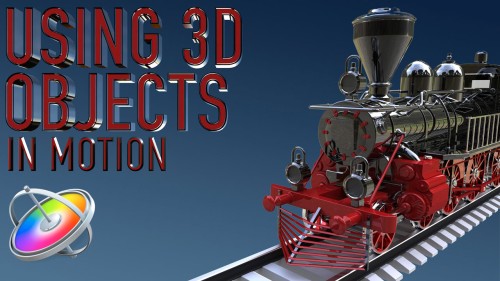
Using 3D Objects in Motion
This tutorial will teach you the key factors you need to know to be able to work with 3D models in both Motion and Final Cut Pro.Sale!
Motion Essentials Bundle
Our Motion Essentials Bundle includes 4 of our most popular tutorials at a savings of 33%.Sale!
Text in Motion 5
Our definitive video tutorial on creating, styling and animating 2D text in Motion. Learn how to format, animate, distort and randomize your text and even turn text into particles.Go to Top
Sean H. (verified owner) –
Thanks to Steve’s tutorial, I went from absolute beginner to confident user in under a week! I wish everything had training this good.
Peter R. (verified owner) –
If one takes the time to complete this tutorial, there are dozens of pieces of information starting with keyboard short cuts, camera use & behaviors, markers, glyphs, efficient creation of groups and duplicate text, and of course text animation. I was unable to find a single miscue or missed step in the instructions Steve Martin provides. It must have taken a very long time to perfect the script that accompanies each lesson with such precision. While one can get some of this information on-the-cheap trolling through YouTube tutorials for the same subject, the benefit here is working on a single project in considerable detail rather than learning just a few isolated effects. Steve strikes the right balance between off the rails complexity and a manageable project using a goofy cartoon with both text and music. Highly recommended.