

12 Final Cut Pro Plugins.
Built by Editors for Editors.
RT Clean Titles
Lower thirds, quotes, openers and framed titles. They resize to vertical video on their own.
RT Messages
Show a sent-and-received conversation, with avatars, emojis and images.
RT Shortcuts
Show the keys you press in a tutorial, with up to 3 modifier keys.
RT Arrows
Point to anything on screen. Every arrow can be tracked to a moving subject.
RT Markups
Highlight, underline, redact, cross out or magnify what matters in the shot.
RT Tracking Essentials
Built for the object tracker. Blur faces and logos, or track glows, shapes and emojis.
RT Punch-Ins
Zoom in on any part of a 16:9, 9:16 or 1:1 shot and reframe it with on-screen controls.
RT Paths
Draw a route on a map, with linear or smooth paths, turns and vehicles.
RT Transmations
Animate logos, titles and connected clips on and off the screen.
RT Flyers
Move your viewer from one location to another with a graphic fly-through.
RT TimeWarps
Lower the frame rate, or add motion blur, strobe, trail and echo effects.
RT Helpers
Templates that handle fiddly editorial jobs in a couple of clicks.
All 12, or just the one you need.
Bought one at a time, the 12 plugins add up to $348.
 All 12 plugins in one order
- 36 clean titles, 39 arrows, 26 markups and more
- Works in Final Cut Pro 12
- Pay once, keep it
Get the one you need for today’s edit. Add the others whenever you’re ready.
What editors say
Quick and simple to use and saves loads of time by avoiding having to work with Motion 5.
Great Plugin! Really added to my travel videos!
Thanks Mark and Steve for another great plugin. You guys are the best.
If you’ve ever needed to…
Each one has a plugin built for it.
- YouTube creators
- Tutorial makers
- Educators
- Marketing teams
- Business owners
- Travel videos
- Sports coaches
- Church media teams
See a plugin in action
RT Clean Titles
Lower thirds, quotes, openers and framed titles. They resize to vertical video on their own.
View details →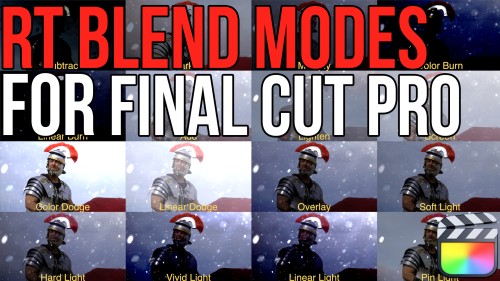
Get all 11, free.
Tell me where to send them and I’ll email you the download links.
Why not build it yourself in Motion?
You can. Motion can build every one of these. It takes time, and you end up rebuilding it for the next project.
These are already built. You drag one onto your timeline, change it with on-screen controls and the inspector, and get back to your edit.
Questions
Not sure which plugin fits your edit? Watch the demos above.
Get all 12 plugins for $199.
Regularly $348 if you buy them one at a time.