Final Cut Pro Tutorials That Make Every Second Count

With your busy schedule, the last thing you want is to sit through hours of unfocused video tutorials. We have designed our Final Cut Pro tutorials to give you the experience of a personal trainer working alongside you, providing clear explanations and examples from our nearly 20 years of experience teaching Final Cut Pro to beginners and pros alike.

Beginner:
Tutorials that are
comprehensive and fun

Intermediate:
Continue to deepen
your skills!

Workflow Tutorials:
Get specific tasks done
in Final Cut Pro.

Recommended by Apple
Trusted by 200,000+ Students
20+ Years Teaching Video Editors
New to Final Cut Pro?  Start here.

Final Cut Pro Essentials Bundle - OLD 100240, Ripple Training: Video editing tutorials for the best editing software for PC and Mac.

Final Cut Pro Essentials Bundle (★ Best Value)
with Steve Martin and Mark Spencer

Everything You Need To Master Final Cut Pro – Get all 5 Essential Courses — Core Training, Media Management, Sound Editing, Color Grading, and Multicam Editing. Go from beginner to confident editor. More Info

Individually, these 5 tutorials would cost $395 —get them all
for $250 ($145 savings)

Original price was: $395.00.Current price is: $250.00.Add to cart

Prefer to Start with a Single Course? Steve Martin delivers a foundational and immersive learning experience focused on Final Cut Pro, guiding you step-by-step through the tools, workflow, and techniques you need to start editing with confidence. More Info

By the end, you’ll be ready to take on real editing projects with a solid grasp of the fundamentals.

Happy Ripple Customers

Stephen Bretschneider profile picture
Stephen Bretschneider
Google star 1Google star 2Google star 3Google star 4Google star 5Trustindex verifies that the original source of the review is Google.
I started learning Apple’s video software with Ripple Training almost two decades ago, back in the days of their DVD-ROM tutorials. Over the years, Mark Spencer has become a trusted and invaluable resource—not only for helping me understand programs like Apple Motion, but also for inspiring me creatively and encouraging me to explore new ideas and possibilities in my own work.
John Sullivan profile picture
John Sullivan
Google star 1Google star 2Google star 3Google star 4Google star 5Trustindex verifies that the original source of the review is Google.
If you want to get your feet wet with an in-depth review of Final Cut Pro, watch Ripple Training. This is a comprehensive training system that will build your confidence, skills and ability in using an innovative technology system.
REd SQUare profile picture
REd SQUare
Google star 1Google star 2Google star 3Google star 4Google star 5Trustindex verifies that the original source of the review is Google.
Ripple Training. I have been using Ripple Training For years and have found them to be second to none. Clear direct information that I can access whenever I need it. No nonsense information that is clear and understandable. And always up to date. 5 stars form me.
Eduardo Ramos profile picture
Eduardo Ramos
Google star 1Google star 2Google star 3Google star 4Google star 5Trustindex verifies that the original source of the review is Google.
Ripple training ranks among the finest online experiences I have encountered. Having acquired the full product suite, I find it consistently impressive. The lessons are excellent and easy to follow; you build projects alongside the instructor and receive updates as they appear. I highly recommend it.
Ben Ged Low profile picture
Ben Ged Low
Google star 1Google star 2Google star 3Google star 4Google star 5Trustindex verifies that the original source of the review is Google.
I'm a filmmaker with credits on hundreds of films, and in many capacities - producer, director, cinematographer, editor etc.. Watching a Ripple tutorial is like watching a very well made film. Mark and Steve are stunningly smooth -- meaning their chronology of step by step is so clear and in the correct order that it is a thing of joy to experience. No cursor wagging, no ancillary stories about their pet snake, every single statement streamlined down to the essence of an instruction. And, dare I say it, unlike AI, their directions are dead accurate information without requiring a long back and forth exchange for clarification (and corrections of the initial offering). I'm a huge fan.
James Branch profile picture
James Branch
Google star 1Google star 2Google star 3Google star 4Google star 5Trustindex verifies that the original source of the review is Google.
Simply the best training you can get. Been a customer for fourteen years. Worth every penny.
Justin SCHORTGEN profile picture
Justin SCHORTGEN
Google star 1Google star 2Google star 3Google star 4Google star 5Trustindex verifies that the original source of the review is Google.
I have relied on ripple to understand FCP and Motion over the years and what’s new with the updates. I like the work along model and the depth they go into so I can easily understand and translate that to my students. I have gone through a number of course they offer. When I have reached out with various questions they always respond quickly, with patience and grace. Thank you Ripple training
Neil Mossey profile picture
Neil Mossey
Google star 1Google star 2Google star 3Google star 4Google star 5Trustindex verifies that the original source of the review is Google.
Fantastic training for Davinci Resolve and Final Cut Pro. Found them via iJustine Teaches FCP X and their YouTube channel. That app completely got me onto editing. Then when I moved over to Davinci, Ripple was the first place I went to look for training. I'm not an Editor, but work with the best editors in the UK so felt my knowledge gap was massive. The step by step introduction to all aspects of the software assumes no prior experience. Well worth the money!
Julio Garcia profile picture
Julio Garcia
Google star 1Google star 2Google star 3Google star 4Google star 5Trustindex verifies that the original source of the review is Google.
Steve & Mark at RIPPLE Training are remarkable Final Cut Pro users for many years and provide some of the best tutorials available for NLE related software for very reasonable pricing. Final Cut Pro users need to support this business now and into the future.
Verified by Trustindex
Trustindex verified badge is the Universal Symbol of Trust. Only the greatest companies can get the verified badge who has a review score above 4.5, based on customer reviews over the past 12 months. Read more

New Apple Creator Studio Tutorial

NEW  AI-Enhanced Workflows in Apple Creator Studio explores how Final Cut Pro users can boost productivity by integrating Apple’s creative apps with a wide range of built-in and third-party AI tools. More Info

Foundational Tutorials after Core Training

Color Grading in Final Cut Pro teaches you a structured grading approach so that you can manipulate color to support your storytelling goals. More Info

Learn the fundamental skills of syncing, editing & delivering multicam projects in Final Cut Pro. More Info

Improve the quality of your soundtracks using professional tools built right into Final Cut Pro. Steve will teach Pro Sound Editing Workflows to enhance and improve dialogue. More Info

Learn how Final Cut Pro manages media; where it’s stored; how to copy, move and delete it; when to work with proxy media, and best practices for collaborating with other editors. More Info

Get Faster with these Tutorials

Warp Speed Editing in FCP
with Mark Spencer

Work faster, more confidently and ultimately more creatively, by learning our battle-tested editing strategies and workflows. More Info

Warp Speed Effects in FCP
with Mark Spencer

Learn how to quickly create effects and dynamic visuals to enhance your story while creating maximum viewer impact. More Info

Quickly add professional motion graphics and visual effects to your FCP projects without having to learn Apple’s Motion. More Info

Get Specific Tasks Done in FCP

Learn how and when to use LUTs in your color grading workflow so that you can achieve and deliver the look you’re after using Final Cut Pro. More Info

This tutorial teaches you how to get the most out of FCP’s object tracker as you track titles, logos, effects, in a wide variety of tracking scenarios. More Info

In this tutorial, you will edit, grade, audio sweeten and deliver, a corporate video for a high-end winery in Napa Valley Ca. More Info

Learn how to create clean keys and convincing composite images by mastering the FCP’s Keyer and related tools through understanding and practice. More Info

Short Subject Tutorials

Learn the foundations of editing and delivering great looking HDR movies in Final Cut Pro. More Info

The Art of Cutting Interviews in FCP X, Ripple Training: Video editing tutorials for the best editing software for PC and Mac.

Edit interviews more efficiently using third-party transcription applications and editing services. More Info

Want to Buy All Ripple FCP Tutorials?

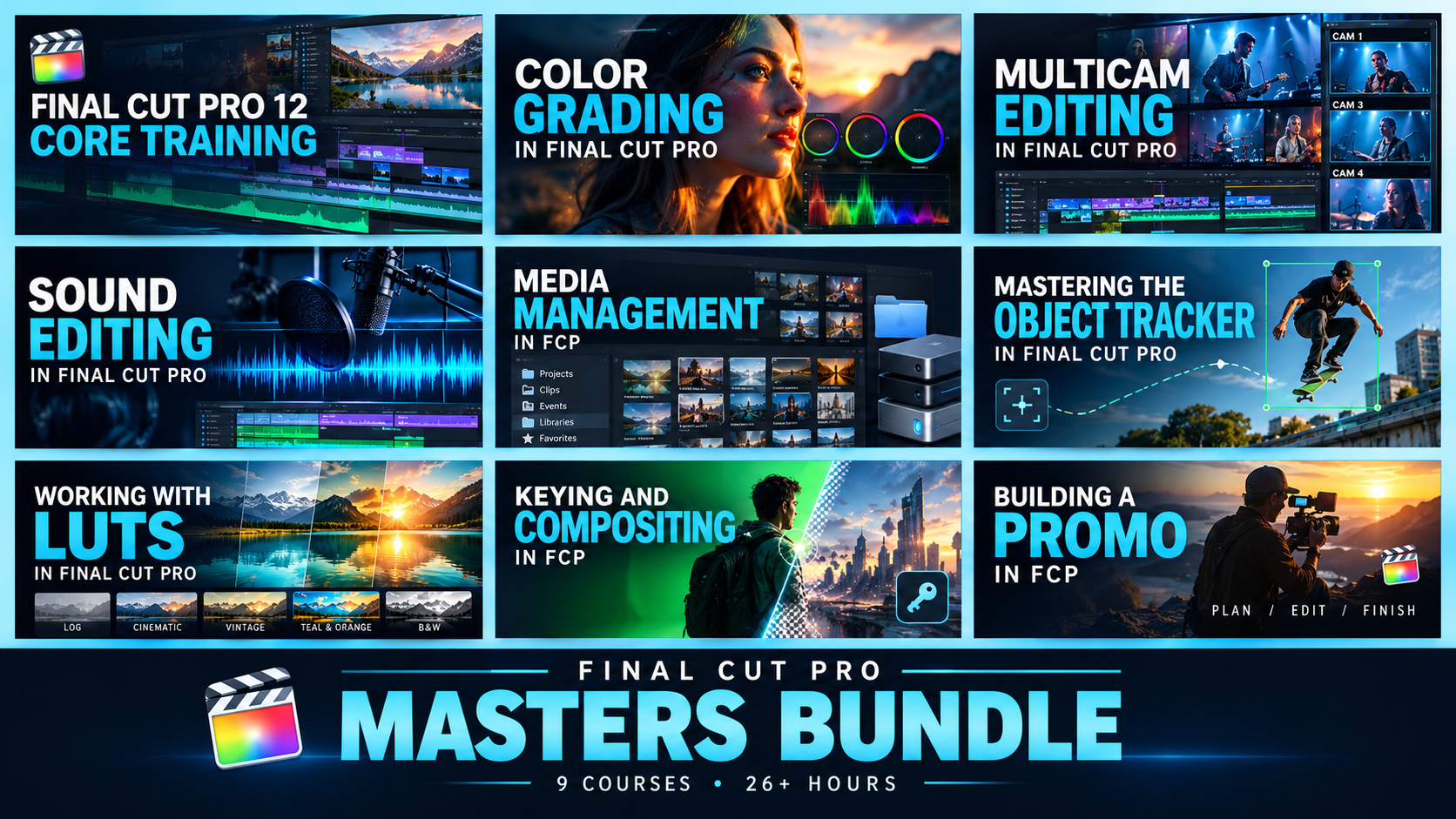
Final Cut Pro Masters Bundle by Ripple Training: 9 video tutorials covering editing, color grading, sound, multicam, and effects

Final Cut Pro Masters Bundle
with Steve Martin and Mark Spencer

This is our definitive curriculum covering every aspect of Final Cut Pro post-production. 9 Final Cut Pro courses encompassing over 24 hours of training. Save 42% More Info

Original price was: $611.00.Current price is: $355.00.Add to cart