

-
Media Management in DaVinci Resolve 19
Media Management in DaVinci Resolve will give you the tools for improving playback performance, preparing your project for remote editing and backing up your work.Sale!
Final Cut Pro Essentials Bundle
Our Editors Essentials Bundle is a set of our 5 most popular Final Cut Pro tutorials encompassing over 17 hours of training. Purchase this bundle and save 36%.
HDR Editing and Delivery
Learn the foundations of editing and delivering great looking HDR movies in Final Cut Pro.
Ripple Training for iMovie
Ripple Training for iMovie is a highly-focused video editing tutorial for Apple’s iMovie editing software.
FCP for iPad 3.3: Getting Started
A comprehensive and immersive learning experience designed to help you master Final Cut Pro for iPad.Sale!
Final Cut Pro Masters Bundle
9 Final Cut Pro tutorials encompassing over 26 hours of training. This is our definitive curriculum covering every aspect of Final Cut Pro post production. SAVE 42%
Mark in Motion: Rigging and Publishing
Learn how to take motion graphics projects created in Motion and turn them into titles, transitions, effects, and generators for use in Final Cut Pro.
AI-Enhanced Workflows in Creator Studio
AI-Enhanced Workflows in Apple Creator Studio explores how Final Cut Pro users can boost productivity by integrating Apple’s creative apps with a wide range of built-in and third-party AI tools.Sale!
RT Plugins Bundle
The entire set of RippleLive Plugins designed for a variety of creative tasks in Final Cut Pro, for one low price.Sale!
DaVinci Resolve Essentials Bundle
DaVinci Resolve Essentials Bundle includes our 2 most important tutorials for anyone wanting to learn DaVinci Resolve post-production. This bundle delivers 12 hours of content and includes the media for following along in DaVinci Resolve. SAVE 35% when purchasing the 2 tutorials in a bundle!!Sale!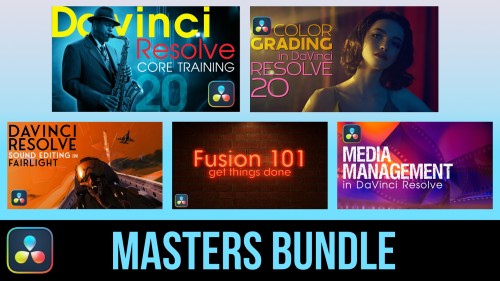
DaVinci Resolve Masters Bundle
DaVinci Resolve Masters Bundle includes our 5 most popular tutorials for anyone wanting to learn DaVinci Resolve post-production.
Steps
Steps is a collection of 12 Final Cut Pro X transition effects that allow you to graphically demonstrate a procedure or process. Add video or still images to user-definable drop zones; modify the frame, text and background.Go to Top
Most Popular TutorialsAbba Shapiro2020-01-16T17:12:06-07:00