Best Tutorials on the Internet to
learn DaVinci Resolve

We’ve created a series of tutorials that form a learning path that takes you from a beginning level DaVinci Resolve user to a professional level editor and finisher in DaVinci Resolve. Import media, edit, and apply effects and grades all from within the same editor.

Get Started:
Created for users with no previous DaVinci Resolve experience.

Foundational:
Essential techniques for the professional editor.

On Sale:
Previous Software Version Tutorials.

20+ Years Teaching Video Editors
Trusted by 200,000+ Students

hidden

New to DaVinci Resolve? Start Here – Bundle & Save
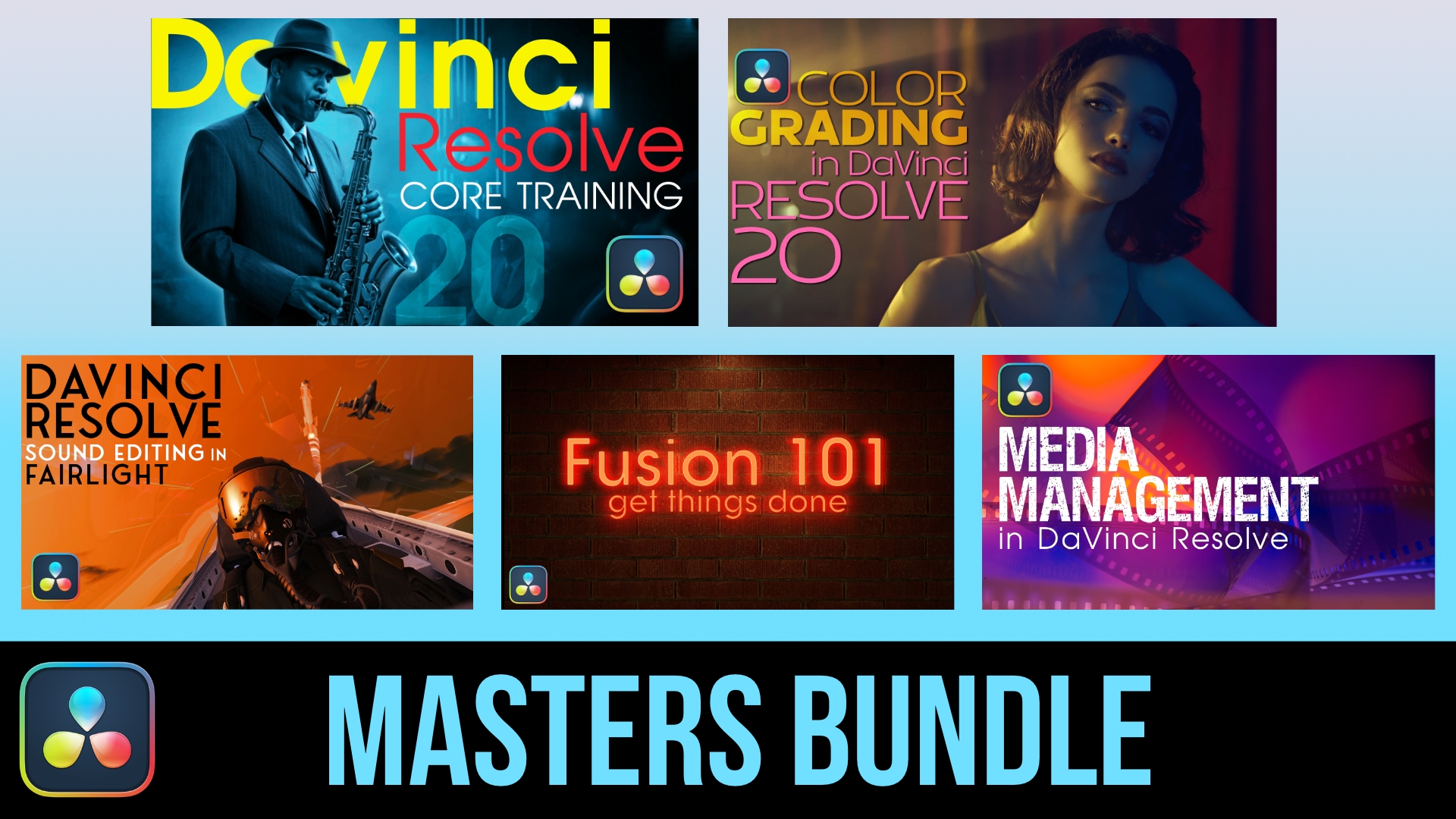
DaVinci Resolve Masters Bundle (★ Best Value)
with Mark Spencer and Steve Martin

Everything You Need to Master DaVinci Resolve. Get all 5 essential courses — Core Training, Color Grading, Media Management, Sound Editing, and Fusion — and take your post-production skills from foundational to professional. More Info

Individually, these 5 tutorials cost $495 — get them all for $320 ($175 savings)

Original price was: $495.00.Current price is: $320.00.Add to cart

DaVinci Resolve Essentials Bundle
with Mark Spencer and Steve Martin

New to DaVinci Resolve? Get our 2 foundational courses — Core Training and Color Grading — and learn to edit, cut, and color grade like a pro. More Info

Individually, these 2 tutorials would cost $278 — get them both for $179 ($99 savings)

Original price was: $278.00.Current price is: $179.00.Add to cart

Happy Ripple Customers

Jarrett Collins profile picture
Jarrett Collins
Google star 1Google star 2Google star 3Google star 4Google star 5Trustindex verifies that the original source of the review is Google.
The Final Cut Pro training by Steve Martin is just superb… my #1 reference when editing. On top of that, they recently updated the content for FCP 12.3… for FREE! Beyond being a great value, that kind of customer care is too rare. I recommend Ripple Training 100%.
Giovanni MacCormack profile picture
Giovanni MacCormack
Google star 1Google star 2Google star 3Google star 4Google star 5Trustindex verifies that the original source of the review is Google.
With over seven years of travelling we've amassed 100,000 photos and 2,000 hours of video. We are now set to enjoy our retirement making media stories of our travel experiences. Ripple is the place we decided to start and what a great training experience it has been. The best FCP course for beginners. We cannot thank Steve and Mark enough for getting us started. Giovanni and Fiona
Paul Fulford profile picture
Paul Fulford
Google star 1Google star 2Google star 3Google star 4Google star 5Trustindex verifies that the original source of the review is Google.
Best tutorials in the biz! If I want to learn something, I check to see if Ripple has a course on it.
Learn something new profile picture
Learn something new
Google star 1Google star 2Google star 3Google star 4Google star 5Trustindex verifies that the original source of the review is Google.
Ripple Training sets the bar very high for others to follow. Their tutorials are fresh, thorough, and along with the customer service makes their products worth every single penny! They have taken me from being completely intimidated by Final Cut Pro and Motion to being an actual user...and completely enjoying myself in the process. Quit waiting!!
Rusty Chain Productions Earl profile picture
Rusty Chain Productions Earl
Google star 1Google star 2Google star 3Google star 4Google star 5Trustindex verifies that the original source of the review is Google.
Ripple Training is fabulous! They provide great source material to work with and know how to speak to every level editor. If you have to make the switch from one program to another they get you up to speed fast. I've purchase three course from them and they are worth every penny.
Philip MacDonald profile picture
Philip MacDonald
Google star 1Google star 2Google star 3Google star 4Google star 5Trustindex verifies that the original source of the review is Google.
I have used Ripple Training for over 15 years primarily for FCP and Motion. I have found Mark and Steve's tutorials to be top notch. They are always very instructive and hit the mark for topics that really matter to video editors.
shameel ariff profile picture
shameel ariff
Google star 1Google star 2Google star 3Google star 4Google star 5Trustindex verifies that the original source of the review is Google.
I purchased Getting Started with Motion from Ripple Training because I wanted to learn the software in a proper, structured manner rather than relying on YouTube videos that showcase different tutorials from different individuals. I found that approach lacked a clear framework for understanding the software and progressing to the next level. After completing the course, I now have a solid basic understanding of Motion and the skills to create simple projects on my own. More importantly, I feel confident about progressing to more advanced projects by taking Ripple Training’s additional Motion tutorials, which cover specialized aspects of the software in great depth. I honestly don’t think there is anyone better than Ripple Training when it comes to teaching Motion. The course structure, explanations, and practical approach have given me a much better understanding of the software and how its different tools work together. I would also like to mention Jill and Caleb, whose customer support was outstanding. They were extremely helpful and responsive throughout my experience with Ripple Training. I’m very pleased with my decision to learn Motion through Ripple Training and look forward to continuing with their other Motion tutorials and taking my skills to the next level. Highly recommended!
Bob Sammon profile picture
Bob Sammon
Google star 1Google star 2Google star 3Google star 4Google star 5Trustindex verifies that the original source of the review is Google.
Between their tutorials, their plug-ins and social media posts these folks have helped me in more ways than they can imagine. I have gone to them for advice and suggestions when I have been stumped by a particularly vexing issue with FCP and have learned tricks of the trade by watching their videos. I am mostly retired these days but I still have a few active clients and I keep up with the new features of FCP so I can be on top of any project that ends up in my lap. In addition, as a retired teacher I can comment that their method of communicating their knowledge to mere mortals like me is outstanding. Clear. Concise. To the point. They are my "go to" source for info on Final Cut Pro.
Diego Alejandro Abad Gomez profile picture
Diego Alejandro Abad Gomez
Google star 1Google star 2Google star 3Google star 4Google star 5Trustindex verifies that the original source of the review is Google.
Hace poco finalice el curso basico de Final Cut Pro y la verdad que estoy completamente feliz con la compra. Aprendí mcuhas cosas del manejo del programa que no tenia ni idea de que existian de forma practica y consisa. Como el curso incluye tanta informacion, seguramente tendre que repasarlo un par de veces para afianzar los conocimientos. Sin duda recomendaria el curso para cualquiera que desee aprender y no perder el tiempo buscando entre los miles de tutoriales que hay en internet.
Kimberly Smith profile picture
Kimberly Smith
Google star 1Google star 2Google star 3Google star 4Google star 5Trustindex verifies that the original source of the review is Google.
This is indispensable reference material for my work. It is well organized, clear and concise. Whenever I forget how a tool works, I can look it up in a Ripple Training Module. Way better than clicking on the help button. Thanks to Mark and Steve
Verified by Trustindex
Trustindex verified badge is the Universal Symbol of Trust. Only the greatest companies can get the verified badge who has a review score above 4.5, based on customer reviews over the past 12 months. Read more
hidden

Prefer to Start With a Single Course?

Start here.  NEW In this introductory training course you’ll learn how to import, organize, edit, add effects, color grade, mix, and deliver finished projects using DaVinci Resolve 20.  More Info

NEW Color Grading in Resolve 20 will teach you how to leverage DaVinci Resolve 20’s deep color grading tool-set to improve both the quality of your images and the speed at which you’ll be able to work. More Info

$199.00Add to cart

hidden

Foundational Tutorials after Core Training

NEW Color Grading in Resolve 20 will teach you how to leverage DaVinci Resolve 20’s deep color grading tool-set to improve both the quality of your images and the speed at which you’ll be able to work. More Info

$199.00Add to cart

Media Management in DaVinci Resolve will give you the tools for improving playback performance, preparing your project for remote editing and backing up your work. More Info

Steve Martin will be your trainer and will teach you how to edit, sweeten, mix and deliver professional soundtracks in the Fairlight Page of DaVinci Resolve 18. More Info

Using Fusion in DaVinci 18.5. Unlock the power of DaVinci Resolve’s Fusion Page by learning basic compositing and visual effects strategies that will level-up your videos. More Info

Short Subject Resolve Tutorials

ON SALE Want to get the most out of your Speed Editor? You will learn how to perform a complete edit in Resolve 17’s Cut Page using Blackmagic Design’s new Speed Editor control surface. More Info

Original price was: $59.00.Current price is: $29.00.Add to cart