Recommended by Apple
Trusted by 200,000+ students
Sound familiar?
Why Ripple Instead of Free YouTube Tutorials?

A Clear Path
Structured, step-by-step courses that build on each other – not a pile of disconnected clips you have to figure out the order of yourself

Real Editors, Not Just Trainers
Steve and Mark have decades of hands-on production experience – you’re learning from industry experts.

Own It, Keep It
One-time purchase, yours for good – stream or download and watch on your schedule. No subscription necessary.

Practice On Real Projects
Follow along with real footage and real edits – not just theory. You’ll learn exactly what transfers to your own work.
The DaVinci Resolve 20 Core Training by Ripple Training, taught by the ever-knowledgeable Mr. Steve Martin, is simply outstanding. His teaching style is clear, engaging, and packed with practical insights that make even complex features feel approachable. Whether you’re a beginner or upgrading from a previous version, this course gives you a solid foundation with Resolve 20’s new tools. Highly recommended for anyone serious about professional video editing!
– Dhas T

 – Dhas T
Get a Solid Foundation with Video Editing Tutorials at Ripple
Pick the software you’re working in – each one starts from zero and builds real skills
FCP 12 Core Training
with Steve Martin
Steve delivers a foundational and immersive experience in Final Cut Pro, guiding you step-by-step through the tools, workflow, and techniques you need to edit with real confidence. More Info
$79.00Add to cart
DaVinci Resolve 20 Core Training
with Steve Martin
In this introductory training course you’ll learn how to import, organize, edit, add effects, color grade, mix, and deliver finished projects using DaVinci Resolve 20. More Info
$79.00Read more
Getting Started in Motion
with Mark Spencer
Learn to build engaging motion graphics, animated titles, and effects for your videos in Apple’s Motion — step by step, from scratch, no experience required. More Info
$79.00Add to cart
What’s Your Story?
Videos, movies, and films all tell stories. These 3 content creators, just like you, share how they approached their storytelling projects initially, the problems they encountered, and how our training was able to help them realize their creative vision.
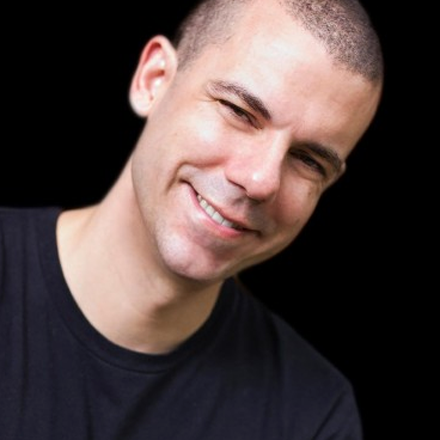
HAD NEVER EDITED BEFORE
A professional puppeteer since 1996, Paul had never edited a video when he decided to shoot a personal project — a short film starring a robot butler puppet, teaching it to dance “the Dougie.” Final Cut Pro tutorials carried him from a total beginner to a finished film

WANTED THEIR VLOG TO LOOK PROFESSIONAL
Tim and his wife Christine run a vlog raising awareness for life with Multiple Sclerosis. Ripple’s Motion tutorials taught them, with zero prior editing experience, to add real, polished motion graphics and voice-over to every episode.

SHOT ON TWO CAMERAS THAT DIDN’T MATCH
A Bay Area filmmaker, Gary shot “fun on the Midway” in raw across three nights on a Blackmagic Ursa Mini and a DJI aerial camera – then used DaVinci Resolve to match two completely different sensors into one seamless film
Ripple Training: Tutorials for Final Cut Pro, Davinci Resolve, Motion, & more!
TELL YOUR STORY WITH VIDEO. We help you through the entire process in a hands-on style teaching method unique to Ripple Training. Learning from our tutorials is like having a personal guide right beside you.
CAPTIVATE & ENGAGE YOUR VIEWERS. Creating
eye-catching motion graphics for your videos
doesn’t have to be complicated.
Our tutorials will show you how it’s done.
EDIT, GRADE & DELIVER YOUR PROJECT. DaVinci Resolve is a complete editing and finishing studio with deep capabilities. Our tutorials will guide you into creative success.
Happy Ripple Customers


Prestigious media companies trained by Ripple: