

- Organize & Sync Angle with Metadata
- Edit & Grade a 5-Angle Wedding
- Mix & Edit a Multitrack Music Video
- Color Correct & Shot Match Cameras
- Edit with Virtual Angles
Edit a Wedding Ceremony
You’ll begin the tutorial by editing a wedding ceremony that was recorded with 6 cameras. During the process you’ll learn how to address sync issues in the Angle Editor and set up your multicam clips for seamless cutting between your video and audio source clips using the Angle Viewer. You’ll also learn essential keyboard shortcuts that will save you time – including how to make fast timing changes to improve the story pacing.
Edit a Multitrack Music Video
Steve will have you editing a 3-camera music performance that includes audio from a multitrack recorder. You’ll organize these tracks into roles before creating a balanced mix using Final Cut Pro’s stereo panning options, and a few compressors to enhance the vocals. You’ll then learn how to assign the mixed angles, perform the edit, then work with audio components to create the final mixdown.
Get That Syncing Feeling
In lessons 7 and 8, you’ll be presented with every option for syncing your footage – whether you shoot with iPhones for delivery to TikTok, or with professional cinema cameras that record industry-standard timecode. Along the way, you’ll learn how to add metadata to your camera angles to make the syncing process more efficient.
Fix Production Mistakes
With multicam productions, potential problems are multiplied by the number of cameras and people involved. Steve will show you some of his best editing work-arounds for salvaging a project when one of the cameras did not record because of mechanical or human error.
About the Author: Steve Martin
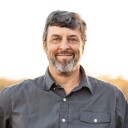
Steve Martin is the creative force behind Ripple Training and has been using and teaching Final Cut Pro since 1999. Since Final Cut Pro's introduction, he has introduced thousands of people to Final Cut Pro through his classes, workshops and training products. He has consulted and/or trained for Apple, Adobe, Disney, Canon, Walmart and other companies. He is also a writer, producer and avid photographer.Full Bio
4 reviews for Multicam Editing in Final Cut Pro
Related products
-
The Art of Cutting Interviews in FCP X
Learn to edit interviews more efficiently using a combination of Final Cut Pro’s excellent metadata tools and third-party transcription applications and editing services.
Warp Speed Effects in FCP
Designed as a companion tutorial to our best-selling Warp Speed Editing in Final Cut Pro, you’ll learn how to quickly create effects and dynamic visuals to enhance your story while creating maximum viewer impact.
Warp Speed Editing in Final Cut Pro
Work faster, more confidently and ultimately more creatively, by learning our battle-tested editing strategies and workflows.Go to Top
Astrologer D –
Excellent tutorial! The detailed breakdown of multicam editing in Final Cut Pro is incredibly helpful. Thanks for making this complex process so accessible!
Stephen G. (verified owner) –
I’ve been consuming Ripple Training tutorials for years now. The education content and delivery keeps getting better and better.
I was a bit desperate to complete a live theatre video with short timeline so I bought this course. It had been a long time since I’d worked with multicam and I didn’t have time or wanted the frustration of messing around in FCPX. This training was perfect and concise, and the sections on metadata, audio roles, syncing tricks, sound editing and keyboard commands made quick work on my project.
Ripple training’s customer support is also second to none!
Nick D. (verified owner) –
I just completed Steve’s Multicam tutorial and I can honestly say this is one of the best I have done so far. If you are interested in Multicam on FCP this is the course to look at.
Michael B. (verified owner) –
Ripple Training did it again! A great update over the Multicam editing in FCP 10.3.
An easy way to get basic and advanced concepts.
Thank you Steve.
Michel B.