

Ripple Blog
The industry’s top editors, motion graphics artists, and experts offer their best advice, how-tos, and insights—all in the name of helping you become a better editor and graphics artist.
Featured Articles
We have created an additional 4 Free Movies to cover the New Features of FCP 10.4.7. You can also watch all of the New Features since FCP 10.4 was announced.
Learning Final Cut Pro from within Final Cut Pro in this free 10 lesson video series that will get you up and running quickly.
These short, highly-focused video lessons will guide you through the basics of Final Cut Pro 10.4 using provided media, so you can quickly begin editing and delivering a short video project from start to finish.
In this free series of tutorials, our resident Motion expert Mark Spencer will show you 8 magical things you can do with Motion to enhance your video projects and captivate your audience
Most Recent Articles
ChatGPT or Claude for Final Cut Pro
ChatGPT or Claude for Final Cut Pro Ripple Training explores using AI assistants like Claude and ChatGPT to organize complex Final Cut Pro projects. By importing XML files of long-form interviews, creators can automate the process of breaking down raw footage into logical, bite-sized chapters for easier editing and delivery. Check our our new "Clean Titles" plugin for FCP. Want to learn FCP from the ground up? Start with FCP Core Training Mark's Tips: – Mark's Intro – The Interview Setup – What I did manually in Final Cut Pro – Delivery goals – Using ChatGPT and Claude – Creating the YouTube playlist with AI assistance
Title Tips for Final Cut Pro
Title Tips for Final Cut Pro Mark will show you some useful tips when working with Titles in Final Cut Pro. Ripple Plugins mentioned in this video: Check out his new set of animated titles that will give your videos a fresh look. RT Clean Titles Clean titles. Instant polish. Give your Final Cut Pro videos a fresh look with 36 customizable animated titles that fit widescreen and vertical projects. Mark's Tips: – Mark Intro – Scenario 1: Proposing Design Options – My 3-Step Title Modification Process – Repositioning and Scaling Titles – Modifying Graphics – Changing Title Fonts All At Once – Replacing Text Content – Moving Individual Title Elements – Fast Title Exports – Sharing Title Options – Scenario 2: Changing Many Customized Titles At Once – Saving Text Styling and Customized Titles – Changing Multiple Customized Title Attributes At Once –Changing All Instances of a Specific Text Line
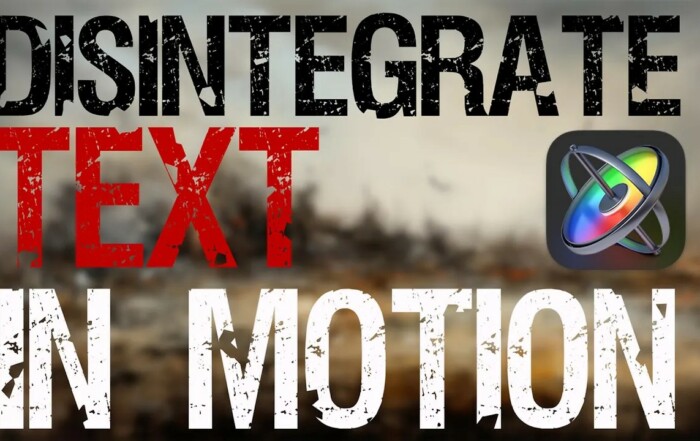
How to Disintegrate Text in Motion
This tutorial shows you how to disintegrate text in Motion. It gives you a practical, start-to-finish look at building this popular particle-based effect. If you've seen text break apart into scattered particles in title sequences and wondered how it's done, this video walks through the process. What Is a Text Disintegration Effect? A disintegration effect breaks text apart into small particles that scatter, fade, or drift away. As a result, it's a striking way to transition text on or off screen, rather than relying on a simple cut or fade. Editors commonly use it in title sequences, intros, and stylized transitions where a more dramatic effect is called for. How to Disintegrate Text in Motion The tutorial covers each stage of the effect. It starts with setting up the text layer and applying a particle emitter. Then, it moves into fine-tuning particle behavior, timing, and direction. In other words, rather than just showing the finished result, the video walks through the actual build process step by step, including the reasoning behind each setting. Adjusting the Effect to Fit Your Project The video also covers how to customize the look further. Consequently, you'll [...]
Building a Markup Plugin in Motion
This tutorial walks through the full process of building a markup plugin in Motion. It gives you a practical, start-to-finish look at plugin development. If you've used Final Cut Pro plugins without ever considering how they're made, this video pulls back the curtain. Why Build a Markup Plugin? Editors commonly use markup plugins for annotating footage. They draw attention to specific areas of a frame, add callouts, or highlight details for review purposes. As a result, this plugin type is one of the more practical ones to build. The underlying logic — drawing and tracking shapes on screen — applies to a wide range of creative and professional use cases. How the Plugin Comes Together The tutorial covers each stage of building a markup plugin in Motion. It starts with setting up the initial project and rig. Then, it moves into adding the publishable parameters that make the tool usable inside Final Cut Pro. In other words, rather than just showing finished results, the video walks through the actual construction process step by step, including the decisions behind each part of the rig. Troubleshooting Along the Way The video also addresses common [...]
Using Remotion for AI Generated Motion Graphics
This tutorial explores AI generated motion graphics with Remotion, a tool that lets you build video content programmatically using code rather than traditional keyframe-based animation software. If you've never combined code with motion design before, this video is a practical starting point. What Is Remotion? Remotion is a framework that lets you create videos using React, treating each frame as a function of your code rather than a manually animated timeline. As a result, motion graphics become reusable, scalable, and easy to update — change a single variable, and the entire animation updates accordingly, rather than requiring you to re-key every frame by hand. How AI Fits Into the Workflow The tutorial demonstrates how AI tools can accelerate the process of building AI generated motion graphics with Remotion, from generating layout ideas to writing portions of the animation code itself. In other words, rather than starting from a blank file, you can use AI as a starting point and refine the result from there. This combination shortens the distance between an idea and a finished animation considerably. Throughout the video, practical examples are shown rather than just theory. Consequently, you'll come away [...]
DaVinci Resolve Cut Page in Under 60 Min
This tutorial teaches you the DaVinci Resolve Cut Page in under 60 minutes, giving you a fast, practical introduction to one of Resolve's most editor-friendly workspaces. If you've stuck to the Edit page out of habit, this video is built to show you what you're missing. What Is the Cut Page? The Cut Page is a streamlined editing workspace designed for speed. Rather than replicating the full complexity of the Edit page, it strips editing down to the essentials, favoring quick decisions over deep customization. As a result, it's especially well suited to fast-turnaround projects, rough cuts, and editors who want to work quickly without getting bogged down in timeline management. What You'll Learn on the Cut Page The tutorial covers the core tools that make the DaVinci Resolve Cut Page distinct, including its dual timeline view, the source tape feature, and its simplified trim tools. In other words, rather than treating the Cut Page as a stripped-down afterthought, the video shows how it can genuinely speed up your workflow when used well. Common shortcuts and navigation techniques are covered throughout as well. Consequently, you'll come away knowing not just what the [...]
DaVinci Resolve Fairlight Page in Under 60 Minutes
This tutorial teaches you the DaVinci Resolve Fairlight page in under 60 minutes, giving you a fast, practical path into one of Resolve's most powerful — and often overlooked — tools. If audio editing has always felt like a separate, intimidating skill, this video is built to change that quickly. What Is the Fairlight Page? Fairlight is DaVinci Resolve's dedicated audio post-production environment, built directly into the same application you already use for editing and color. As a result, you never have to leave Resolve or round-trip to another program just to mix and clean up your audio. This makes it especially useful for editors who want professional-sounding sound without learning an entirely separate piece of software. What You'll Learn on the Fairlight Page The tutorial covers the core building blocks of the DaVinci Resolve Fairlight page, including how to navigate its layout, work with tracks and busses, and apply basic mixing techniques. In other words, rather than overwhelming you with every advanced feature at once, the video focuses on what you need to start mixing confidently right away. Along the way, common workflow shortcuts are highlighted as well. Consequently, you'll come [...]
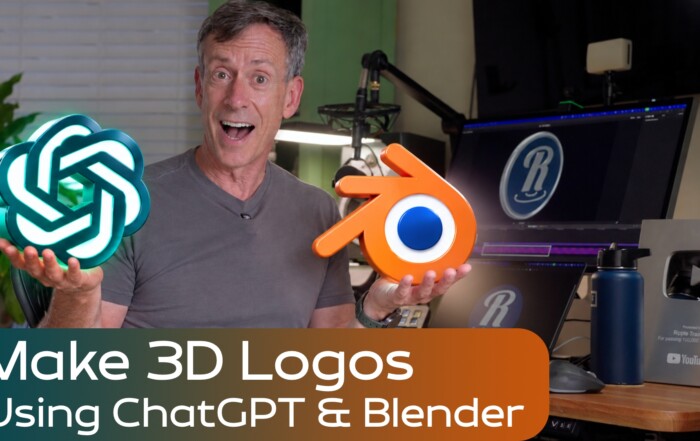
Make 3D Logos for Final Cut Pro using ChatGPT & Blender
Make 3D Logos for Final Cut Pro using ChatGPT & Blender In this video Mark shows you how to create 3D logos using ChatGPT-6 Astra and Blender, then import them into Final Cut Pro using our free app. Import USDZ files into FCP using Mark's app Hyperlinks: – Intro – What You’ll Need – Connecting ChatGPT to Blender – Prompting with a Logo – Getting the 3D Model into Final Cut Pro with 3D to Timeline – Animating the 3D Logo in Final Cut Pro – Creating Animation in Blender (with a prompt) – Creating a 3D Model of the Motion Icon – Animating the Motion Icon in Final Cut Pro –Creating an Animated 3D Final Cut Pro Logo AI Summary of this video: Ripple Training demonstrates how to integrate the free 3D application Blender with the ChatGPT Astra model to generate custom 3D assets. Learn the workflow for turning 2D logos into animated 3D models and importing them directly into Final Cut Pro using a dedicated 3D-to-timeline plugin. [...]
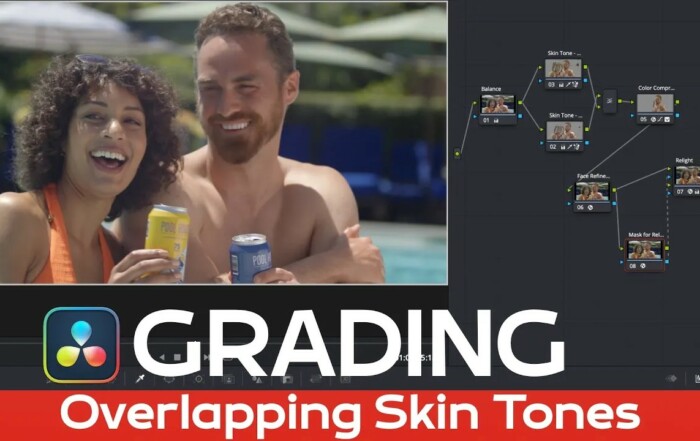
Grading Overlapping Skin Tones in Resolve 20
In this video, Mark demonstrates how to approach grading skin tones in Resolve 20, one of the trickier challenges in color correction. When multiple people appear in the same shot with overlapping or mismatched skin tones, getting a natural, consistent look can be difficult without the right approach. Why Skin Tones Are Hard to Grade Skin tone is one of the most sensitive elements in any color grade. Viewers notice even small inaccuracies in skin color almost instantly, which makes it far less forgiving than other parts of an image. As a result, a technique that works well for landscapes or general color balance often falls short when applied directly to faces, especially when several people with different skin tones share the same frame. How Mark Approaches Grading Skin Tones in Resolve 20 Mark walks through DaVinci Resolve 20's deep color grading toolset, showing how to isolate and adjust overlapping skin tones without affecting the rest of the image. In other words, rather than applying one blanket correction to the whole shot, you'll learn how to target specific tonal ranges with precision. This course, Color Grading in Resolve 20, is built around [...]
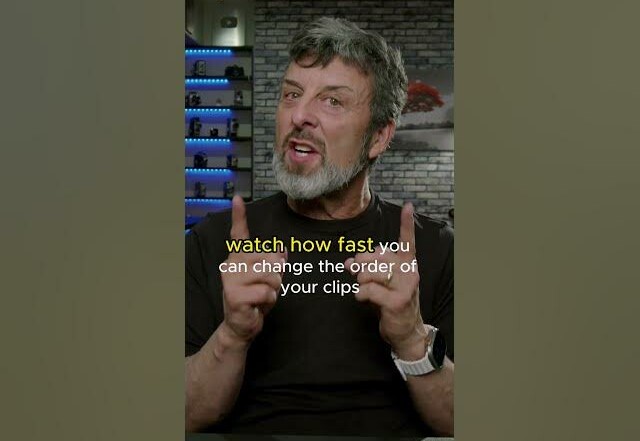
Swap & Shuffle Clips in DaVinci Resolve
This quick tip shows you how to swap and shuffle clips in DaVinci Resolve without the usual drag-and-drop hassle. If you've ever needed to reorder clips on your timeline and ended up fighting with overlaps or gaps, this technique solves that problem in seconds. Why Reordering Clips Is Tricky Normally, moving a clip to a new position on the timeline means dragging it, then adjusting everything around it to close gaps or fix overlaps. As a result, even a simple reorder can turn into several extra steps of cleanup. This is especially frustrating when you're working quickly or editing on a deadline. How to Swap and Shuffle Clips DaVinci Resolve includes a built-in shortcut for exactly this situation. Instead of manually dragging clips around, you can swap and shuffle clips in DaVinci Resolve with a simple key command that automatically shifts everything into place. In other words, the clips swap positions cleanly, without leaving gaps or requiring manual trimming afterward. This is particularly useful in fast-paced edits, like montages or multi-clip sequences, where clip order changes frequently as you fine-tune pacing. Consequently, learning this shortcut can save real time over the course [...]
Looking for more?
Or by tag:
3D Animation, 3D Text, 4k, Animated Text, Animation, Audio, Behaviors, Color Correction, Color Grading, Compositing, Compound Clips, Compressor, Dialogue, Effects, Exporting, Fairlight, Faster Editing, Graphics, HDR, Importing, iPhone, Learning, MacBreak, Media Management, Motion, Motion Camera, Multicam, New Features, Particles, Photos, Pixelmator Pro, Plugins, Production, Product Review, ProRes RAW, Quick Tips, Replicators, RippleLIVE, Roles, Titles, Tracking, Transitions, Video Production, VR, Workflow